Three steps.
One sentence to a running pipeline.
No SQL. No YAML. No DAG editors. Describe what you want — the AI agent handles schema discovery, PII detection, and pipeline setup, then waits for your approval before anything runs.
The three steps, expanded
Here's exactly what happens from the moment you type to the moment rows are flowing.
Describe it in plain English
Type what you want — the same way you'd ask a teammate in Slack. The LLM agent parses your intent and extracts every parameter it needs:
- Source: Which system to read from (Shopify, MySQL, SQL Server…)
- Destination: Where to write (Postgres, BigQuery, S3…)
- Cadence: Hourly, daily, real-time CDC, or on-demand
- PII rules: "mask emails", "exclude phone numbers"
- Table filters: "only the orders and products tables"
If the source isn't in the built-in catalog, the AI Tool Generator (on rsync.ai Cloud) builds a connector from an OpenAPI, GraphQL or docs URL in minutes — auth, schema discovery and pagination included. Review it before you run it.
YOU
Sync my Shopify orders and products to Postgres hourly. Mask customer emails.
ASSISTANT
Understood: Shopify Admin (GraphQL) → PostgreSQL, hourly batch, masking customer.email. Create and run this pipeline?
Confirm Pipeline
Review the plan, then confirm
rsync.ai never creates or starts a pipeline until you confirm the plan. Along the way the agent checks the connection, reads the schema and scans for PII, and stops to ask whenever your request leaves something open:
Connection test
The agent checks that it can reach source and destination with the credentials you supplied. You are asked only if something is missing.
Schema discovery
Agent scans source tables, infers column types, and proposes the destination schema.
PII scan
Columns are scanned for likely emails, phones, IDs, and addresses. You choose: mask, hash (SHA-256 or HMAC), drop, or pass-through — per field.
Confirm the plan
You confirm the table list, cadence, and rules. Only then does the pipeline start.
Pipeline setup
Pipeline runs — you watch
Once you approve, rsync.ai kicks off a Temporal workflow. No servers to babysit, no cron jobs to monitor.
Live row counts
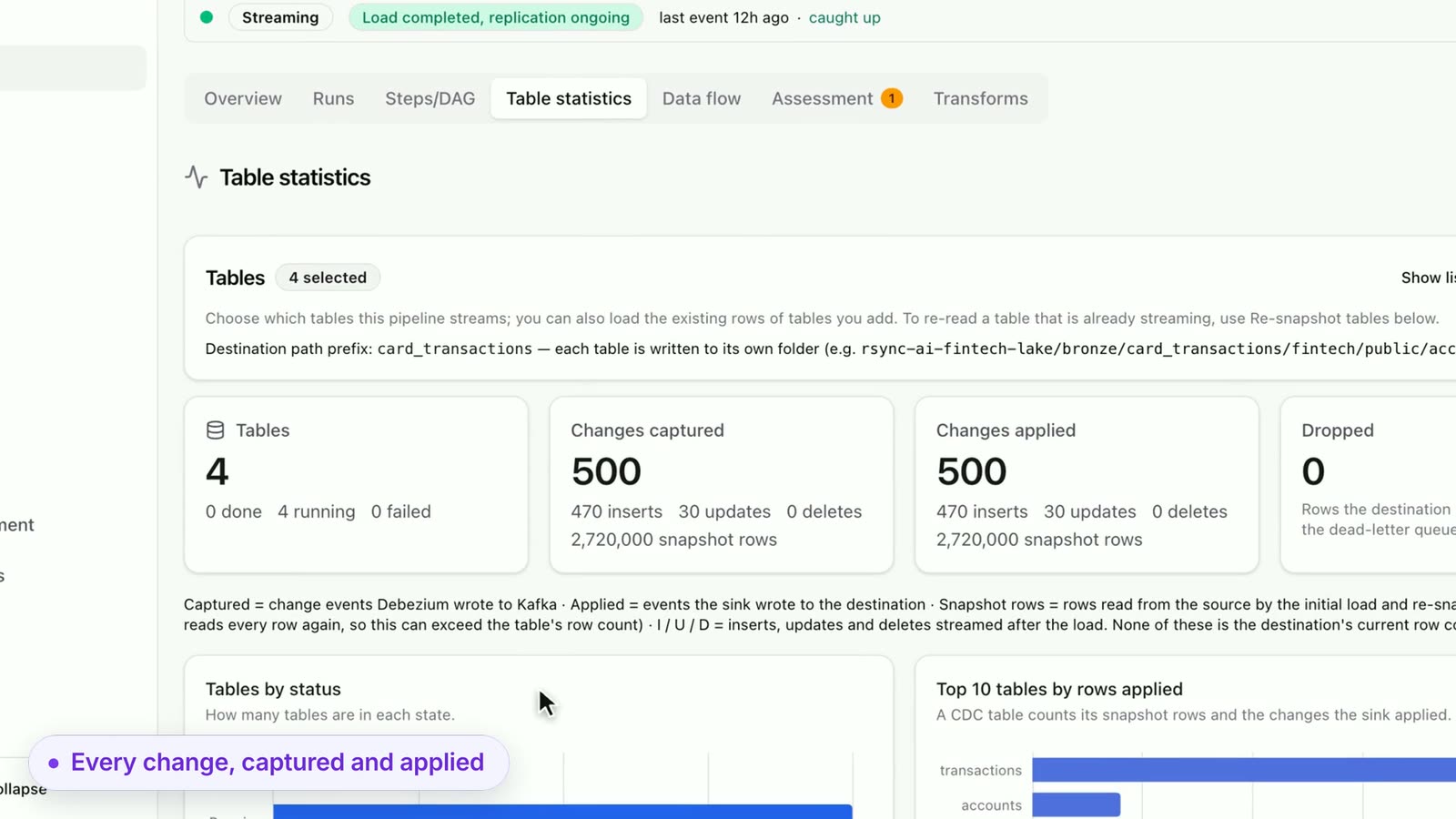
Watch rows land in your destination in real time from the executions dashboard.
Checkpointed cursors
Temporal persists state at every checkpoint — a crash mid-sync resumes from the last checkpoint instead of starting over.
Debezium CDC for databases
Postgres, MySQL, SQL Server, and MongoDB changes propagate to your destination continuously via log-based CDC.
Run history and traces
Every run keeps its history and OpenTelemetry traces, so you can see what happened in any past run.
After the data lands
Step 3 isn't the end. The same workspace takes you from a synced table to a report your team reads.
Ask rsync.ai
Ask a question in plain English (⌘/ or Ctrl+/). It writes SQL from your schema and column types, and marks it Not run until you open it in the Explorer.
Explorer
Run the SQL under your own role. Previews are capped at 500 rows with personal columns masked. Save the query, or export a result as CSV, TSV or JSON.
Models
Turn a query into a table that rebuilds on a schedule or after a pipeline finishes. Scheduled SQL passes an approval gate before it runs.
Charts
Draw a model or saved query as a bar, line, area, heatmap, scorecard or table.
Dashboards
Put charts and text on one live page with up to four filters. Every tile is read live, as the person looking.
Workflows
Run a query, check a condition and send the result to Slack or email on a schedule or after a pipeline finishes.
Under the hood
Built on four components you can inspect: Debezium for change capture, Temporal for durable runs, Kafka for transport, OpenTelemetry for traces.
MCP-based connectors
Connectors implement the Model Context Protocol, so the connector that feeds a pipeline is also a tool an AI client can call. To let your own AI tools work in a workspace, use the Agent gateway.
Debezium CDC
Log-based change data capture for Postgres, MySQL, SQL Server, and MongoDB. Row-level inserts and updates are streamed to your destination in near real time.
Temporal workflows
Every pipeline is a durable Temporal workflow with checkpointed state, automatic retries, and a full event history.
OpenTelemetry
End-to-end traces for every sync run. Inspect span timings, row counts, and errors without reading logs.
Your VPC. Your data.
One command.
rsync.ai runs as a managed Cloud you can start free, or self-hosted — run the entire stack inside your own infrastructure — credentials AES-256 encrypted at rest with a key you control, data never leaving your network.
- Docker Compose on one VM (Kubernetes via Helm is in preview) — Temporal, Debezium, Kafka, API and UI
- AES-256 encrypted credentials at rest
- Ollama support for fully local LLM inference
- Source-available under the rsync.ai Source-Available License
- No per-row or per-MAR pricing. Self-hosted installs run with billing switched off.
Install & run
$ curl -sSL https://raw.githubusercontent.com/rsync-ai/rsync.ai/main/install.sh | bash
# Kubernetes (Helm chart, in preview):
$ curl -sSL https://raw.githubusercontent.com/rsync-ai/rsync.ai/main/install-k8s.sh | bash
Services
- api-gateway
- temporal
- debezium
- kafka
- postgres
- redis
Your stack
- Any LLM (cloud / Ollama)
- Postgres, MySQL, SQL Server, MongoDB
- BigQuery, Databricks, S3, GCS, Azure Blob
- Your VPC / bare metal
Ready to try it?
AI connector generation on every plan (rsync.ai Cloud). No per-row fees. Cancel any time.